

August 12, 2024

meta

Open Communication in WhatsApp Groups with These 7 Meta AI Use Cases

The following seven Meta AI application cases can improve WhatsApp group communication and interaction: 1.Automated Response Handling Use Case: In WhatsApp groups, Meta AI can be used to manage frequently asked questions or common inquiries. Without human assistance, the AI can identify particular words or phrases and respond with speed and accuracy.Benefits: Promotes uniformity in communication and saves time. 2. Smart Moderation Use Case: Artificial intelligence-driven systems for moderation can automatically identify and eliminate spam or objectionable content from WhatsApp groups. This involves removing potentially dangerous content, irrelevant links, and unpleasant language.Benefit: Preserves the caliber and security of discussions in groups. 3. Emotional DissectionUse Case: AI is able to discern the general mood and emotional tone of conversations by analyzing the sentiment of messages delivered inside the group. Moderators can better grasp group dynamics and handle any new problems by doing this.Benefit: Promotes unity throughout the group and makes proactive dispute resolution possible. 4. Customized alerts Use Case: AI has the ability to customize alerts for specific users according on their engagement levels and preferences. For instance, individuals who are not as active or who frequently overlook key communications may have important updates or reminders highlighted.Benefit: Increases user involvement and guarantees that the appropriate individuals receive critical information. 5. Synopsis of ContentUse Case: Meta AI is able to automatically condense lengthy discussions or threads into a concise synopsis of the main ideas and choices made. This is particularly helpful in large groups where it might be difficult to keep up with every message.Benefit: By avoiding the need to read through lengthy conversation history, it saves time and aids in keeping group members informed. 6. Language Translation Use Case: Participants with various linguistic backgrounds can converse easily thanks to AI’s real-time message translation capabilities. This can be very helpful in multicultural areas or foreign groups.Advantage: eliminates linguistic obstacles and promotes inclusive communication. 7. AI-Powered Surveys and PollsUse Case: Use AI to create and administer group polls and surveys. In addition to assisting with poll design, artificial intelligence (AI) can evaluate replies and offer insights into the preferences or opinions of the group.Benefit: Promotes active engagement and makes decision-making easier.

Open Communication in WhatsApp Groups with These 7 Meta AI Use Cases Read More »
facebook

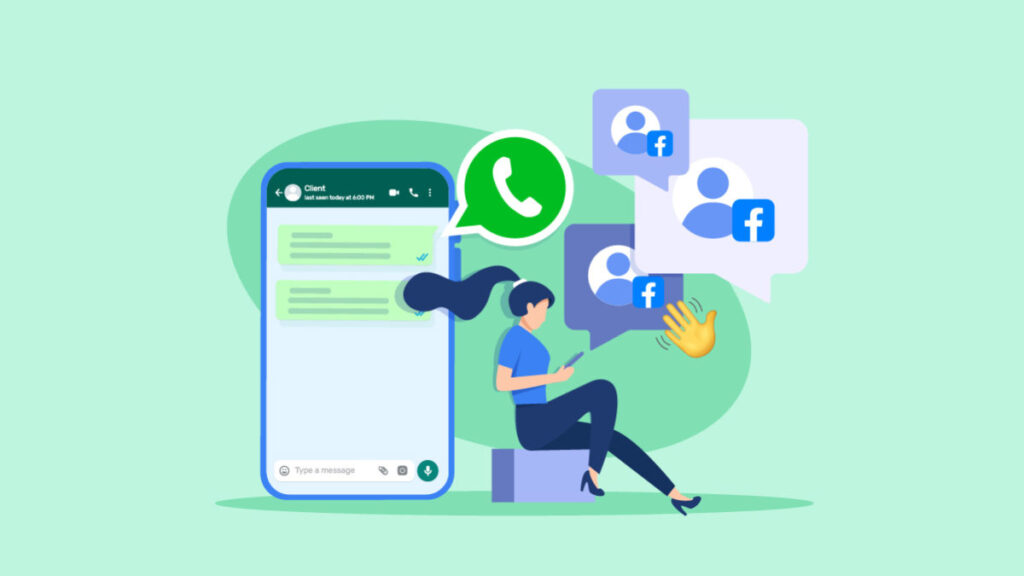
How to Automatically Provide Your WhatsApp Sales Team with Facebook Leads Data

You can take the following actions to automatically feed Facebook Leads Data to your WhatsApp sales team: 1. Create Lead Ads on FacebookMake a Lead Ad on Facebook: Create a Facebook campaign for generating leads. Make that the required data, like name, phone number, email, etc., is collected by your lead form.Link a CRM: Connect a CRM (Customer Relationship Management) platform that allows Facebook Leads Data WhatsApp integration to your Facebook lead form. Numerous CRM solutions are compatible with Facebook Lead Ads, including HubSpot, Zoho, and Salesforce. 2. Employ a Tool for Lead IntegrationIntegromat or Zapier (Make): Utilize Zapier or Integromat, two automation tools, to link Facebook Lead Ads with WhatsApp. Your WhatsApp sales team can receive lead data automatically from these technologies.Workflow Example:New lead in Facebook Lead Ads is the trigger.First, enter the lead information into your CRM.Step 2: Forward the lead details to your WhatsApp sales team via a message or notice. 3. The Business API for WhatsAppConfigure WhatsApp Business API: To send messages automatically, you can combine your WhatsApp Business API account with your CRM or automation application.Automated Lead Notification: Set up your system to notify the sales staff as soon as lead information is received.4. Optional Custom DevelopmentAPI Consolidation: You can create a unique API connectivity between Facebook Leads, your CRM, and WhatsApp for more sophisticated solutions. Although it may take a developer to set up, greater customization is possible with this.Example: Gather lead data from Facebook using the Graph API, process it in your CRM, and Facebook Leads Data then deliver notifications using WhatsApp’s API. 5. Take into Account Software for Lead ManagementLead management platforms: LeadsBridge, LeadSync, and similar platforms are experts at automatically sending Facebook leads to several channels, including WhatsApp. These tools offer insights and can make setup simpler.6. Educate Your Sales ForceConfigure Notifications: Make sure the members of Facebook Leads Data your sales staff are taught to react promptly and efficiently, and that they are configured to receive messages via WhatsApp.Models: Make message templates that your sales team can utilize to reach out to potential customers. Upon logging into Pabbly Connect, your Dashboard Facebook Leads Data will be displayed. Here, a workflow needs to be established. To make one, simply click the button and give it a memorable name. After you save it, the workflow Facebook Leads Data screen will appear where you can link the tools. The application that starts the automated workflow will be the first one. In this instance, a fresh Facebook Leads Data lead will be obtained through Facebook Lead Ads. The application that takes action will be the second one. In this instance, AiSensy’s WhatsApp will be used. Select Facebook Lead Ads Facebook Leads Data as the initial application to act as the trigger. The trigger event must then be chosen. This time, it will be New Lead. Click Connect after that. Pabbly will request that you Facebook Leads Data grant access and validate your Facebook Lead Ads account. Pabbly Connect can now do the action(s) you specify in the next steps. You must choose the appropriate Facebook Leads Data page and lead form to connect after authorizing your Facebook account. Once you save the information, Pabbly will display the most recent lead data from Facebook, indicating that the connection was successful. Once the Facebook Leads connection has been established successfully, you Facebook Leads Data need to connect the AiSensy application as the second one. It sends the lead information to a WhatsApp number after capturing it via Pabbly Connect. Select Send Template Message as the event Facebook Leads Data and WhatsApp by AiSensy as the action app. Click Connect after that. Pabbly will request that you provide Facebook Leads Data access and validate your AiSensy account. If your AiSensy template is already Facebook Leads Data configured, you can complete and save the details on Pabbly. If not, generate the template within your AiSensy account and return to Pabbly thereafter. You will receive the most Facebook Leads Data recent lead data on the WhatsApp number you specified after completing the Pabbly setup.

How to Automatically Provide Your WhatsApp Sales Team with Facebook Leads Data Read More »

With a diverse skill set that spans marketing, technology, and strategy, our team is equipped to tackle complex challenges and drive business success. We are dedicated to delivering innovative solutions, exceeding client expectations, and achieving measurable results through our collective expertise.

Quick Links

Get in touch

Odisha Branch

Copyright © 2026 rashmitainfinity.com | Powered by rashmitainfinity.com

CALL US